Dashboard Overview
The Dashboard provides a quick overview of your Vector Data Loader activity and serves as your central navigation hub.
Dashboard statistics load for the selected project and refresh every 30 seconds while the tab is visible. Use Refresh for an immediate update. Automatic refresh pauses in background tabs and resumes when you return.
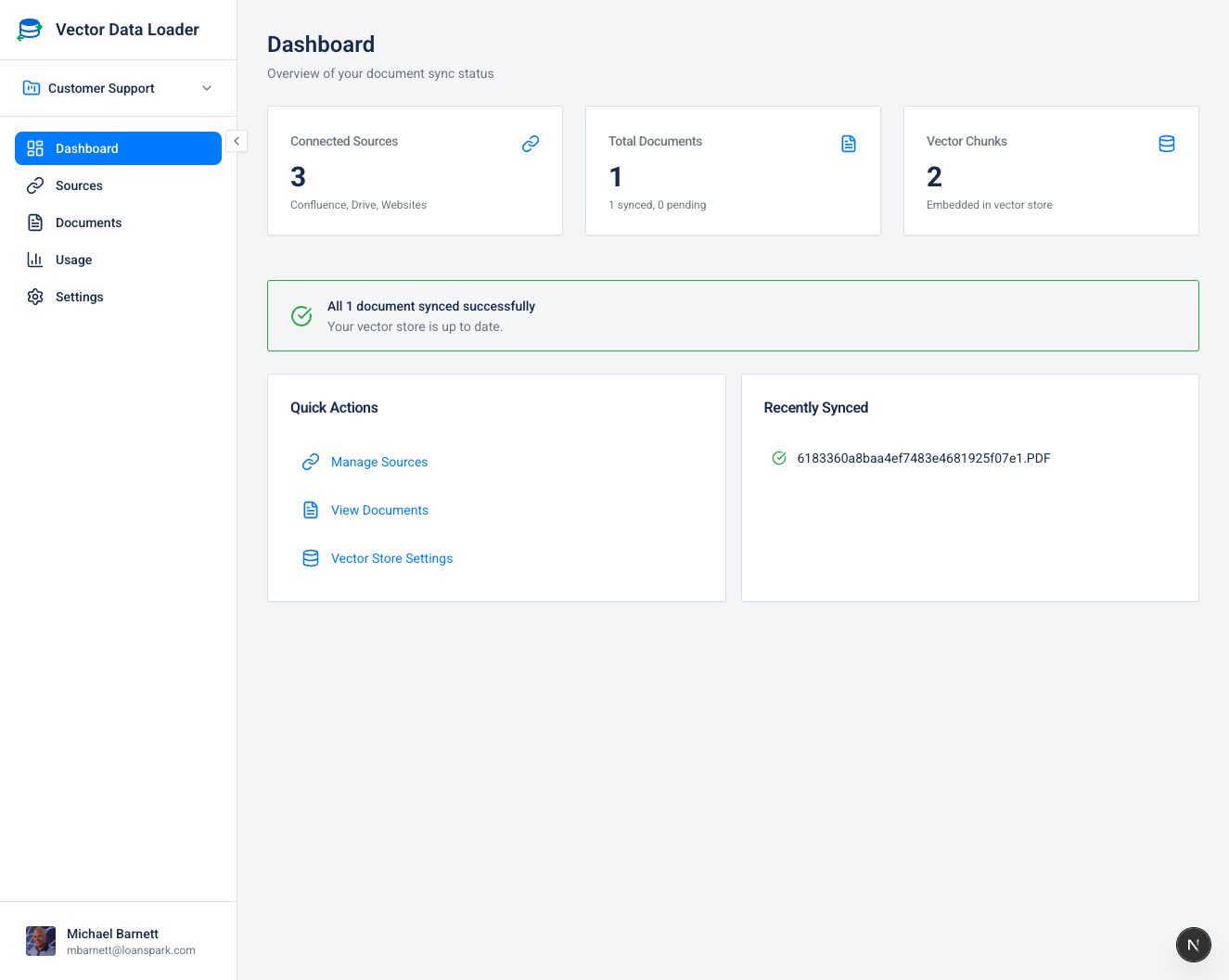
Navigation Sidebar
The left sidebar contains the main navigation:
| Item | Description |
|---|---|
| Project Selector | Switch between your projects using the dropdown (top) |
| Dashboard | Return to this overview page |
| Sources | Manage your connected data sources |
| Documents | View and manage synced documents |
| Playground | Test semantic search and RAG chat against your indexed documents |
| Usage | Monitor your usage statistics and quotas |
| Settings | Configure vector stores, embeddings, LLM models, and more |
| Credit Balance | Shows your current credit balance (above profile) |
| User Menu | Access profile, organization, billing, documentation, and sign out (bottom) |
Statistics Cards
The main dashboard displays key metrics:
| Metric | Description |
|---|---|
| Total Documents | Tracked documents in the selected project, including pending and errored documents |
| Recorded Chunks | Chunk counts recorded on project documents, including external vector stores |
| Connected Sources (org) | Organization source connections; not a live credential health check |
| Active Monitors | Enabled folder monitors for the selected project |
| Docs Synced (24h) | Distinct project documents whose latest successful sync was within 24 hours |
The labels show which metrics are organization-wide. The other cards describe the selected project.
Documents Last Synced shows each project's documents by the UTC date of their latest successful sync in the last 30 days. Latest Document Sync Time shows the recorded duration of each document's latest sync in the last seven days. Neither chart counts every historical attempt. Document Status, Documents in Error, and Recently Synced Documents describe the selected project's current documents.
Project sync issues links to a complete, paginated list of failed, overdue, pending, and syncing documents. You can also open it under Settings → Sync Issues. Use the project, status, and source picklists and sort by the table headers. Each failed document has a safe reason and a suggested next step. The last recorded sync time may include a failed attempt; the app does not yet store separate per-document attempt timestamps. See Sync Issues for the workflow.
Organization Sync Health combines current organization document errors (40%), documents within the configured auto-sync staleness threshold (30%), and fully completed jobs in the last seven days (30%). The policy component is neutral if auto-sync is off. Scheduled jobs can span projects, so the score and job panels are organization-wide. A currently synced document can still be overdue under the policy; a recent failed job may not leave any documents in an error status.
User Menu
Click your profile avatar at the bottom of the sidebar to access the user menu:
| Option | Description |
|---|---|
| Profile | Update your display name, avatar, and job title |
| Organization | Manage organization details, team members, and close account |
| Billing | View credits, purchase packages, view transaction history |
| Settings | Jump to the main settings page |
| Documentation | Opens this documentation site in a new tab |
| Sign out | Log out of your account |
Need help? Click your profile avatar and select Documentation for instant access to guides, tutorials, and reference material.
Sync Health Panel
The Sync Health panel provides visibility into your sync reliability over the last 7 days.
| Metric | Description |
|---|---|
| Job Outcomes | Organization-wide fully completed, partial/incomplete, and failed job counts |
| Attempted Docs Succeeded | Successful document attempts divided by attempts actually processed; unstarted attempts are shown separately |
| Average Duration | Time from job start to completion for completed jobs with recorded start times |
| Current Document Errors by Source | Selected-project documents currently in error, grouped by connector |
| Current Project Error Reasons | Most frequent safe categories for selected-project document errors |
If no sync jobs have run in the past 7 days, the panel shows an empty state message.
The Sync Health panel helps you spot patterns — for example, if Google Drive syncs are failing frequently, you may need to reconnect the source or check your OAuth credentials. See Sync Reliability & Recovery for details on how the retry system works.