Settings
The Settings area allows you to configure various aspects of Vector Data Loader.
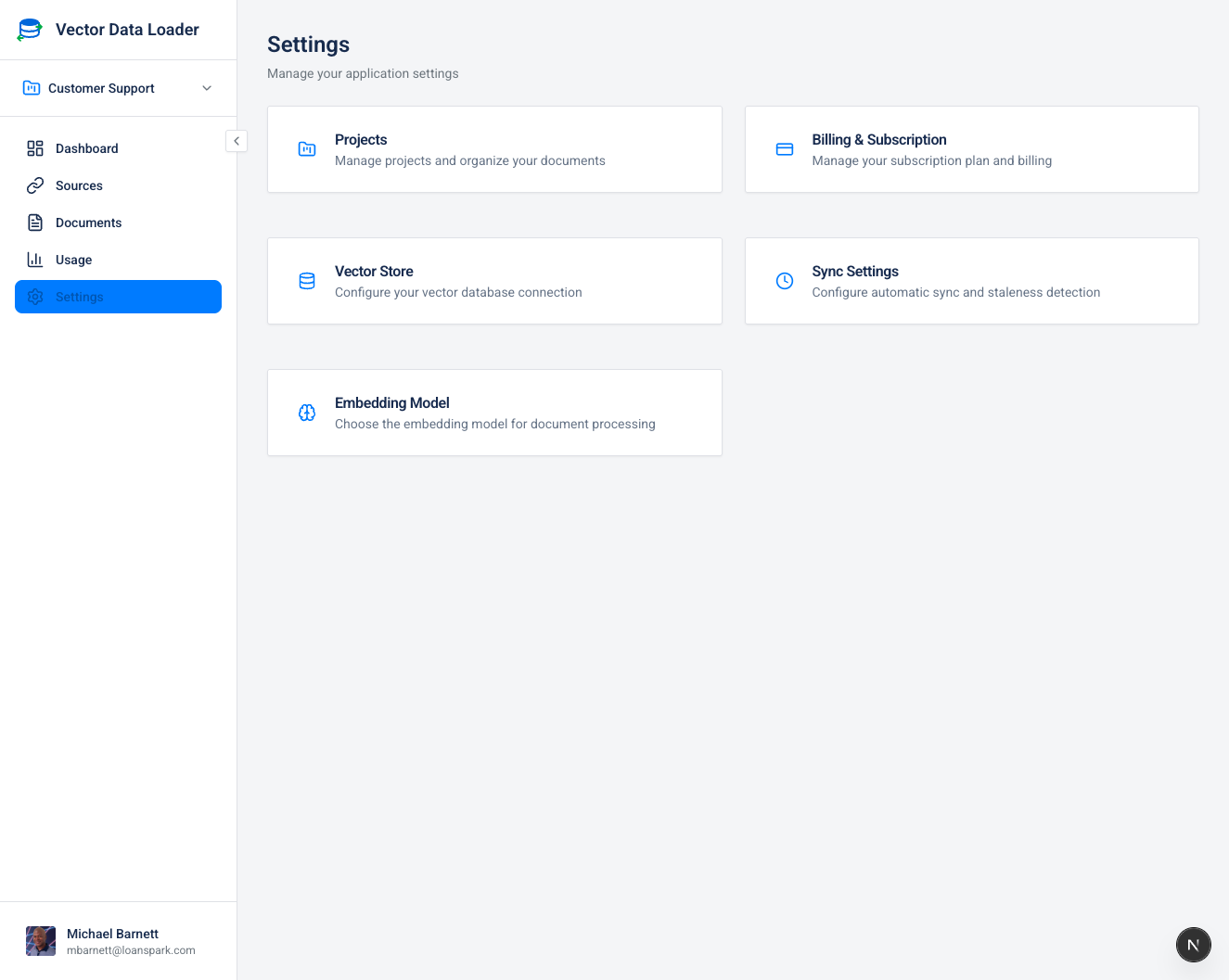
Settings Navigation
Access settings from the Settings item in the sidebar navigation, or through the user menu (click your profile avatar in the bottom-left corner).
Sidebar Settings Menu
| Section | Description |
|---|---|
| Projects | Manage project organization |
| Vector Store | Configure where vectors are stored |
| Embedding Model | Choose your embedding provider |
| Multimodal Embeddings | Configure image extraction and visual search capabilities |
| LLM Model | Configure the AI model for RAG chat |
| Sync Settings | Configure sync behavior |
User Menu Quick Access
Click your profile avatar to access:
| Option | Description |
|---|---|
| Profile | Update your display name, avatar, and job title |
| Organization | Manage organization details and close account |
| Billing | View credits, purchase packages, transaction history |
| Settings | Jump to the main settings page |
| Documentation | Opens the documentation site (this site!) in a new tab |
| Sign out | Log out of your account |