Archiving Projects
Archiving a project hides it from normal views while preserving all data for potential restoration.
Prerequisites for Archiving
Before you can archive a project, you must:
- Delete all documents from the project
- The project must not be the default project
If a project contains documents, the Archive button will be disabled. Hover over the disabled button to see a tooltip indicating how many documents need to be deleted.
How to Archive
- Navigate to Settings > Projects
- Find the project you want to archive
- Ensure the project has 0 documents (delete documents first if needed)
- Click the Archive button
- Confirm the action in the dialog
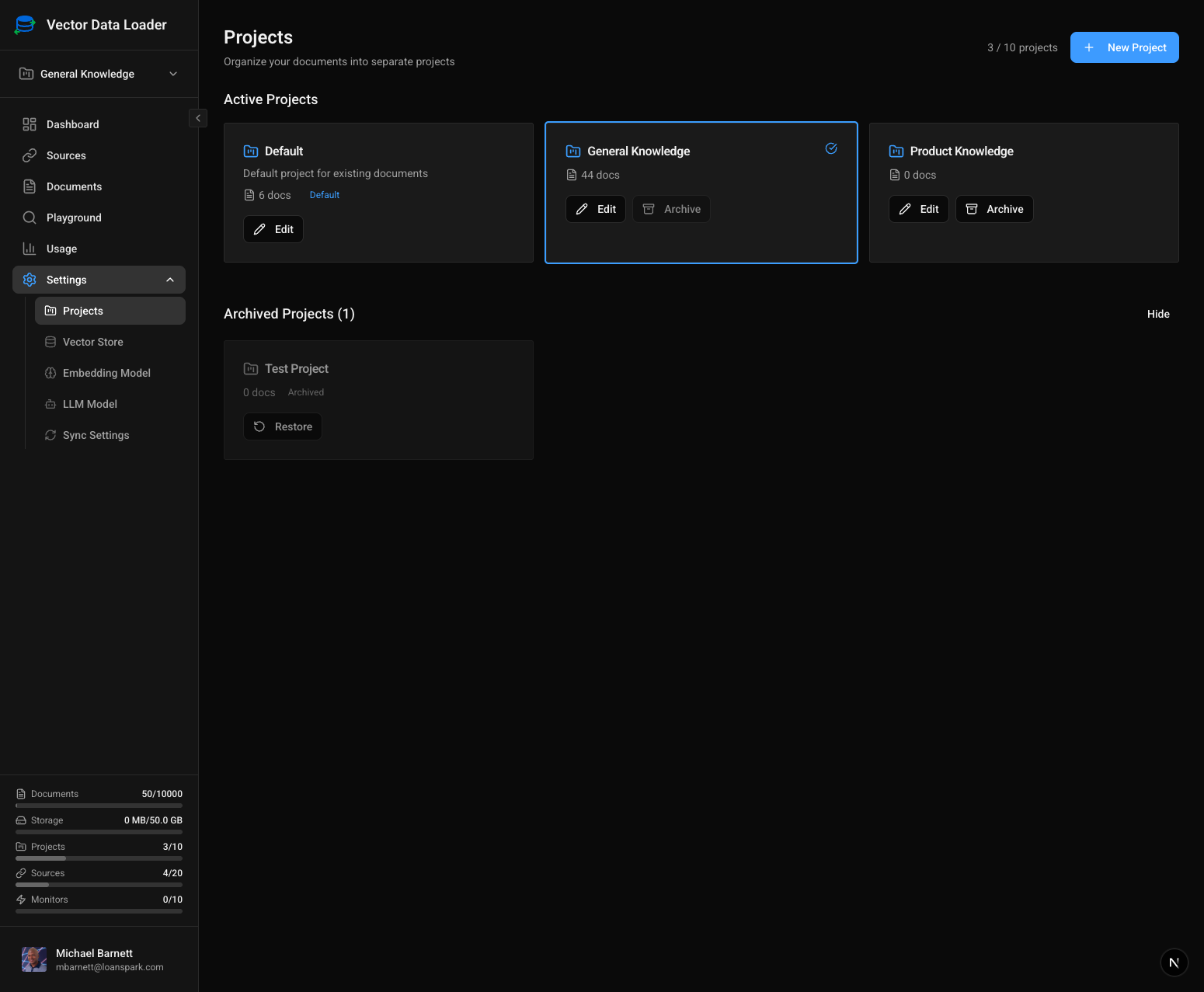
The Projects settings page showing active projects and archived projects. Note how projects with documents have a disabled Archive button.
What Happens When Archived
- The project is hidden from the main project list
- The project does not count against your subscription's project limit
- All project settings and configuration are preserved
- The project can be restored at any time