Confluence Integration
Confluence integration allows you to sync pages from your Atlassian Confluence workspace.
Connecting Confluence
- Click the Confluence card in "Add a Source"
- You'll be redirected to Atlassian to authorize access
- Grant the requested permissions
- Upon return, your Confluence connection will be established
Browsing Confluence Content
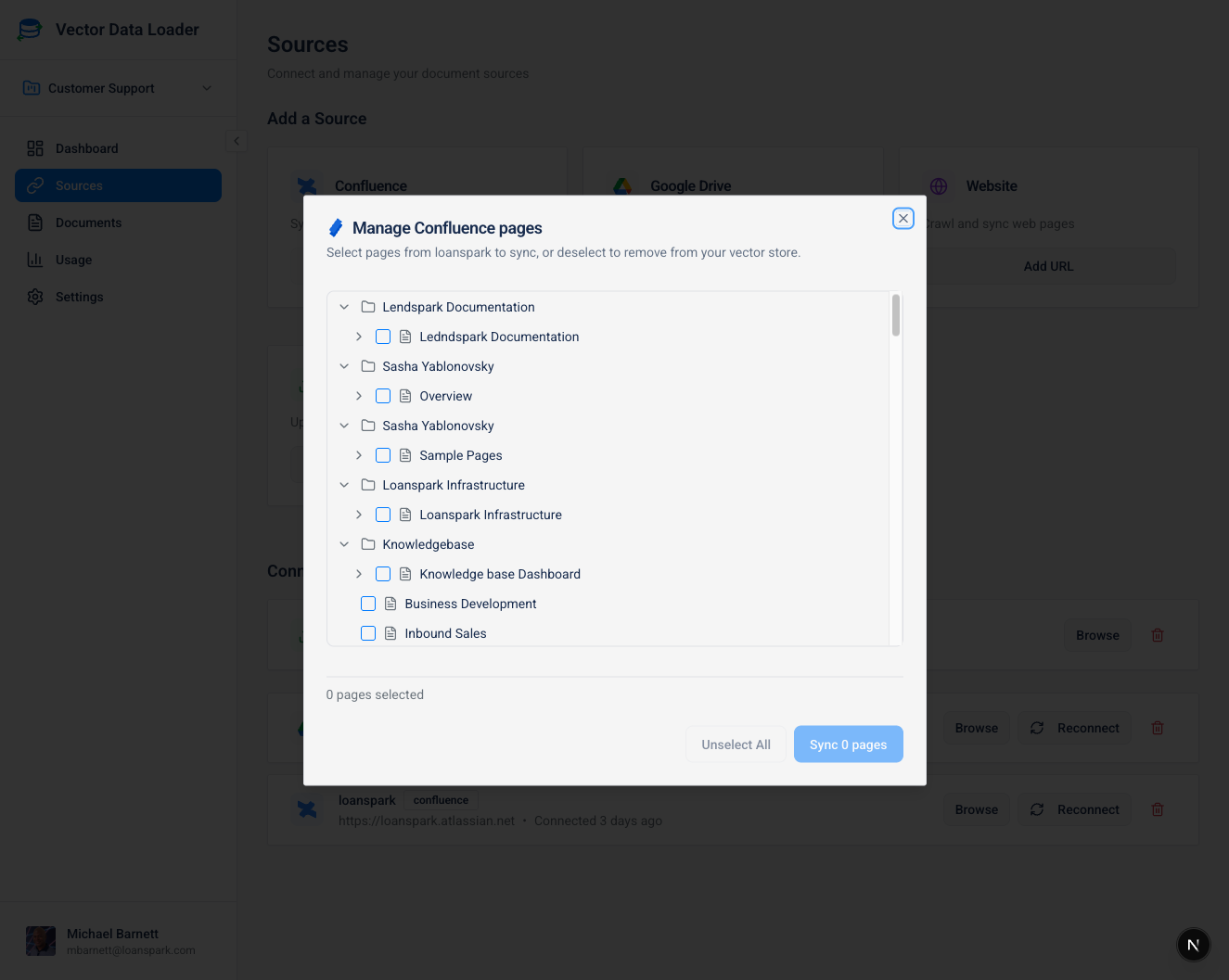
Once connected, click Browse on your Confluence source to:
- Expand a Space: Click the arrow beside a space to load its pages and folders. Spaces stay collapsed until you open them.
- Navigate Pages: Expand pages or folders to load the next level. An arrow means the item can be checked for children; empty items show an empty state once loaded.
- Select Documents: Check individual pages, or use a space/folder checkbox to select its direct child pages. Nested folders and page descendants must be opened and selected separately.
- Sync Selected: Click the sync button to import selected pages
The browser shows:
- Page titles with hierarchical indentation
- Checkboxes for multi-selection
- Sync status indicators for previously synced pages
- Page count summaries
Previously synced pages are selected as you discover them. Unselect All affects the pages loaded in this browsing session; it does not discover or remove pages in unopened branches. Switching the source or project resets the selection.
If a level cannot load, use Retry. Temporary Confluence throttling is retried briefly; a persistent failure is shown rather than presented as an empty folder. Loading a level follows all its pagination links, so large spaces may still take longer.
The browser only displays current (active) pages. Archived, trashed, and draft pages are automatically filtered out to match Confluence's default view.
What Gets Synced
| Content Type | Included |
|---|---|
| Page title and content | ✅ |
| Formatted text (converted to plain text) | ✅ |
| Tables, lists, and structured content | ✅ |
| Embedded images (as references) | ✅ |