Google Drive Integration
Google Drive integration enables syncing documents from your personal or shared drives.
Connecting Google Drive
- Click the Google Drive card
- Authorize with your Google account
- Grant permission to access Drive files
Browsing Google Drive
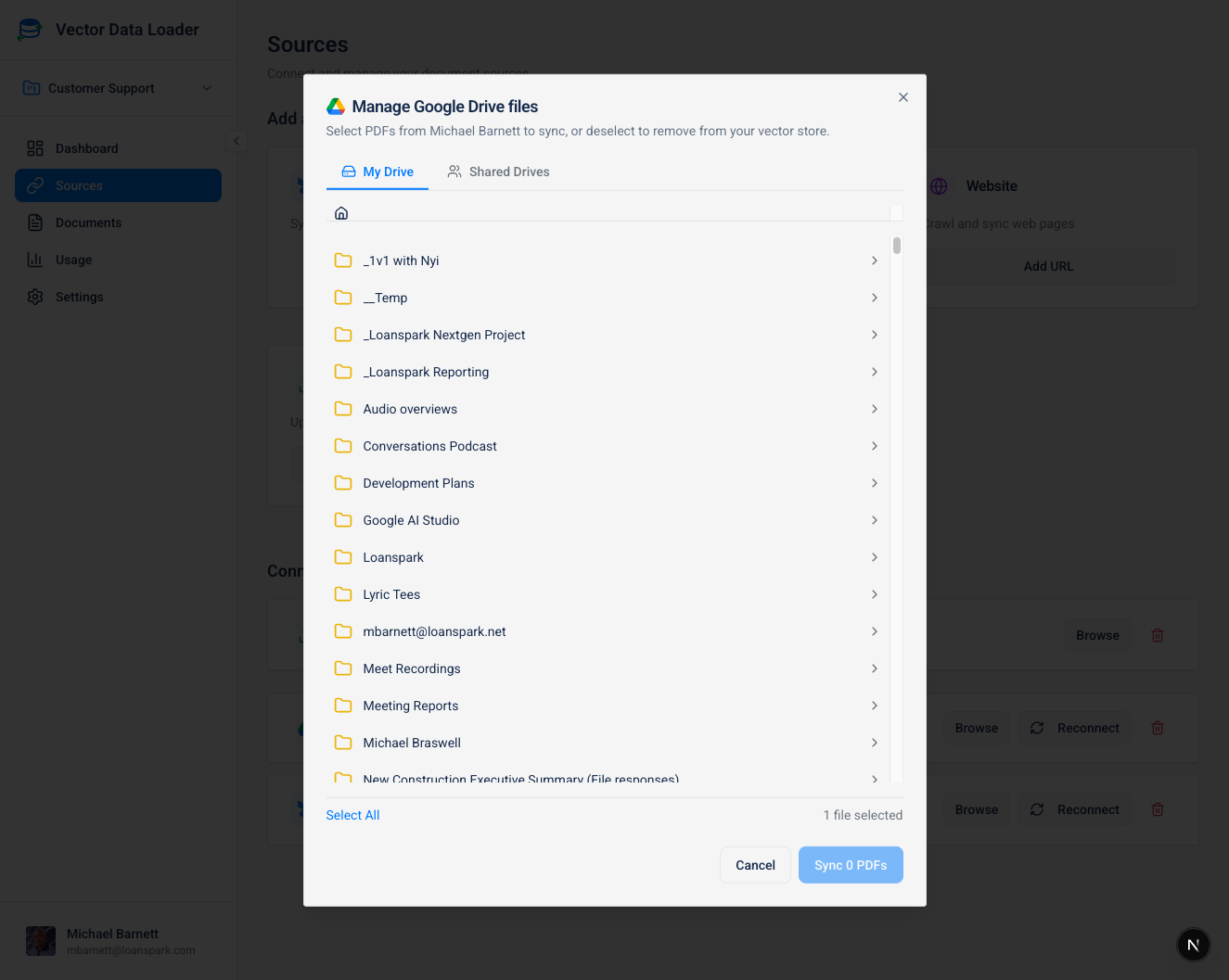
The Google Drive browser offers:
- My Drive tab: Access your personal files
- Shared Drives tab: Access team/shared drives
- Folder navigation: Click folders to browse contents
- File selection: Check files to sync
- Breadcrumb navigation: Track your current location
Supported File Types
| Format | Description | How It's Processed |
|---|---|---|
| Google Docs | Native Google documents | Exported as DOCX, text extracted |
| Google Sheets | Native Google spreadsheets | Exported as CSV for text extraction |
| Google Slides | Native Google presentations | Exported as PDF for text extraction |
| Portable Document Format files | Direct text extraction |
Google Workspace files (Docs, Sheets, Slides) are automatically exported to standard formats before text extraction. You don't need to manually export them first.
Folder Monitoring
Google Drive supports automatic folder monitoring via the ⚡ Monitor button on the source card.
How it Works
Folder monitoring uses cron-based polling to detect new files added to the monitored folder. When new files are found, they are queued as pending documents and synced automatically to your vector store.
Setting Up
- Navigate to Sources from the sidebar
- Click ⚡ Monitor on your Google Drive source card
- Browse and select a folder using the folder tree
- Click Start Monitoring
Folder monitoring works with both My Drive and Shared Drives. The monitor uses the folder's internal ID so it continues working even if the folder is renamed.
See Setting Up a Folder Monitor for full instructions.